Spend your time teaching, not fixing broken projects and chasing files.
Open any student's session in the browser. No missing plugins, no broken projects. Comment on any track. Every submission organized by course.
If this sounds familiar…
The plugin problem
Your student used FabFilter Pro-Q 3, Valhalla Supermassive, and three other plugins you don't own. You can't open their session. So they send you an MP3 instead — and you're giving feedback blind.
Feedback by workaround
You write check the low end around the second chorus in an email. Maybe you hop on a call to walk through it. Either way, the feedback isn't pinned to the right moment on the right track — and it's scattered across emails, docs, and calls instead of one place.
Files that don't fit
A collected Ableton project is 500 MB to 2 GB. Most LMS platforms cap uploads well below that. So students upload to Google Drive, share a link, you download, unzip, and open in your DAW — if the plugins load. Version control is a shared folder with 27 subfolders and no naming convention.
What changes with Slapback
Open any session, regardless of plugins
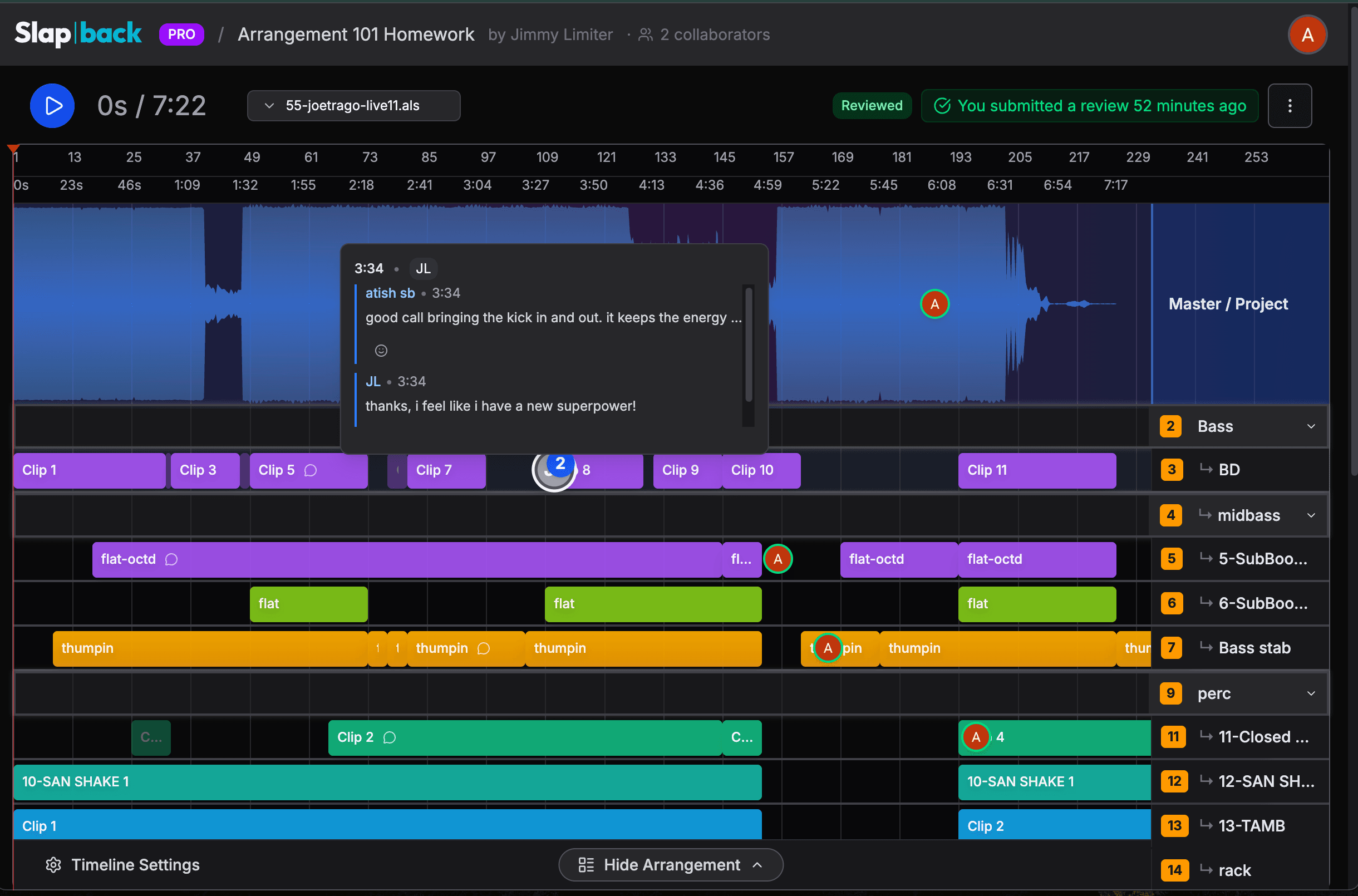
Students upload their Ableton project file and Slapback renders the full arrangement in the browser — every track, every clip. It doesn't matter what plugins they used. You see the session and review the music.
Feedback on the actual tracks
Leave timestamped comments on individual tracks — not just a stereo waveform. Use text, voice notes, or GIFs. Start a thread on the bass at 2:34. Your students see exactly what you heard and where.
Upload once, review anywhere
Students upload their audio — and optionally their .als file for the full arrangement view. You open the submission in your browser and see tracks, clips, and structure. No download. No unzipping.
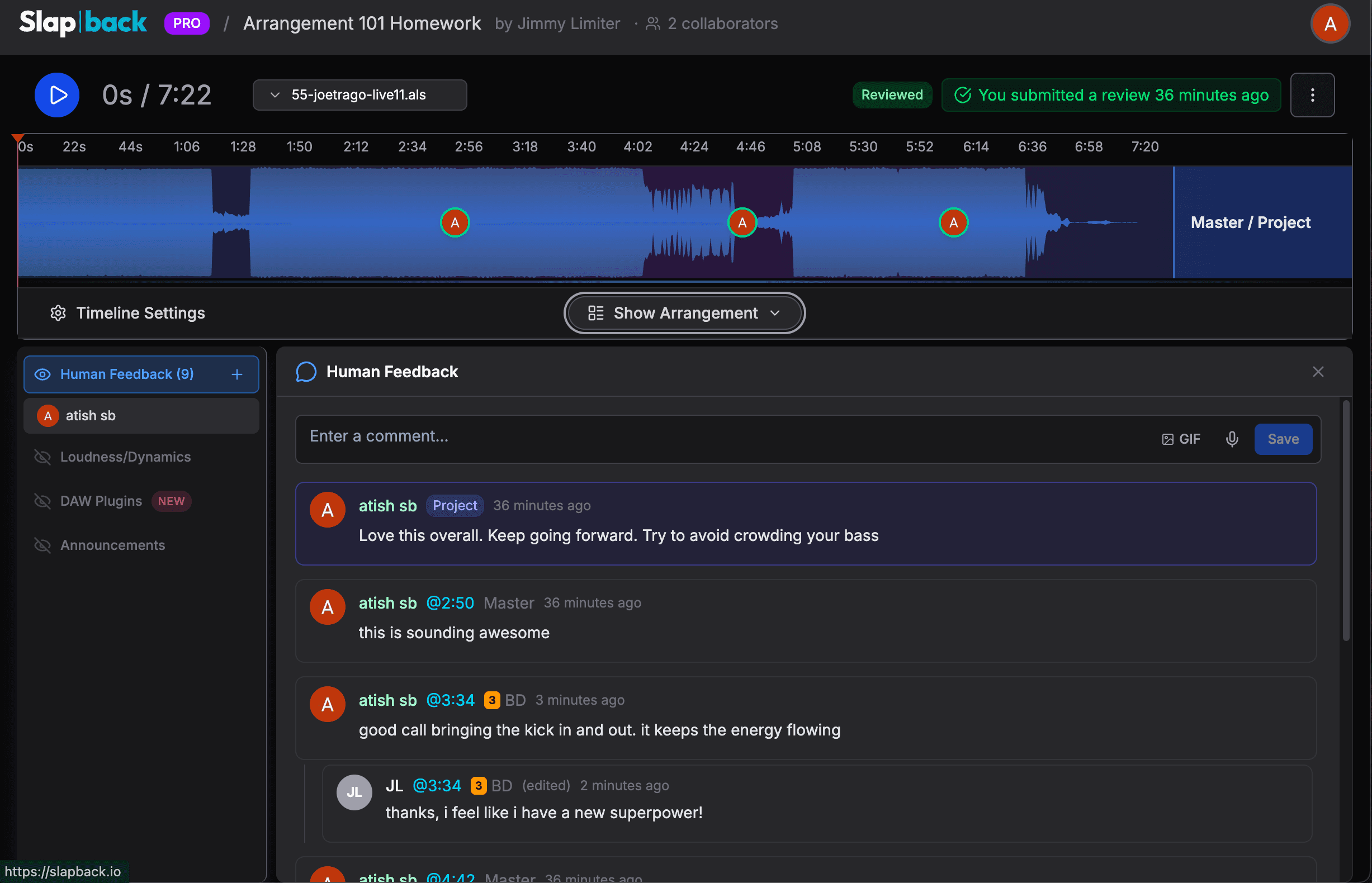
Comments pin to a track and a timestamp. Students can reply inline — no email threads.
How assignments work
Send
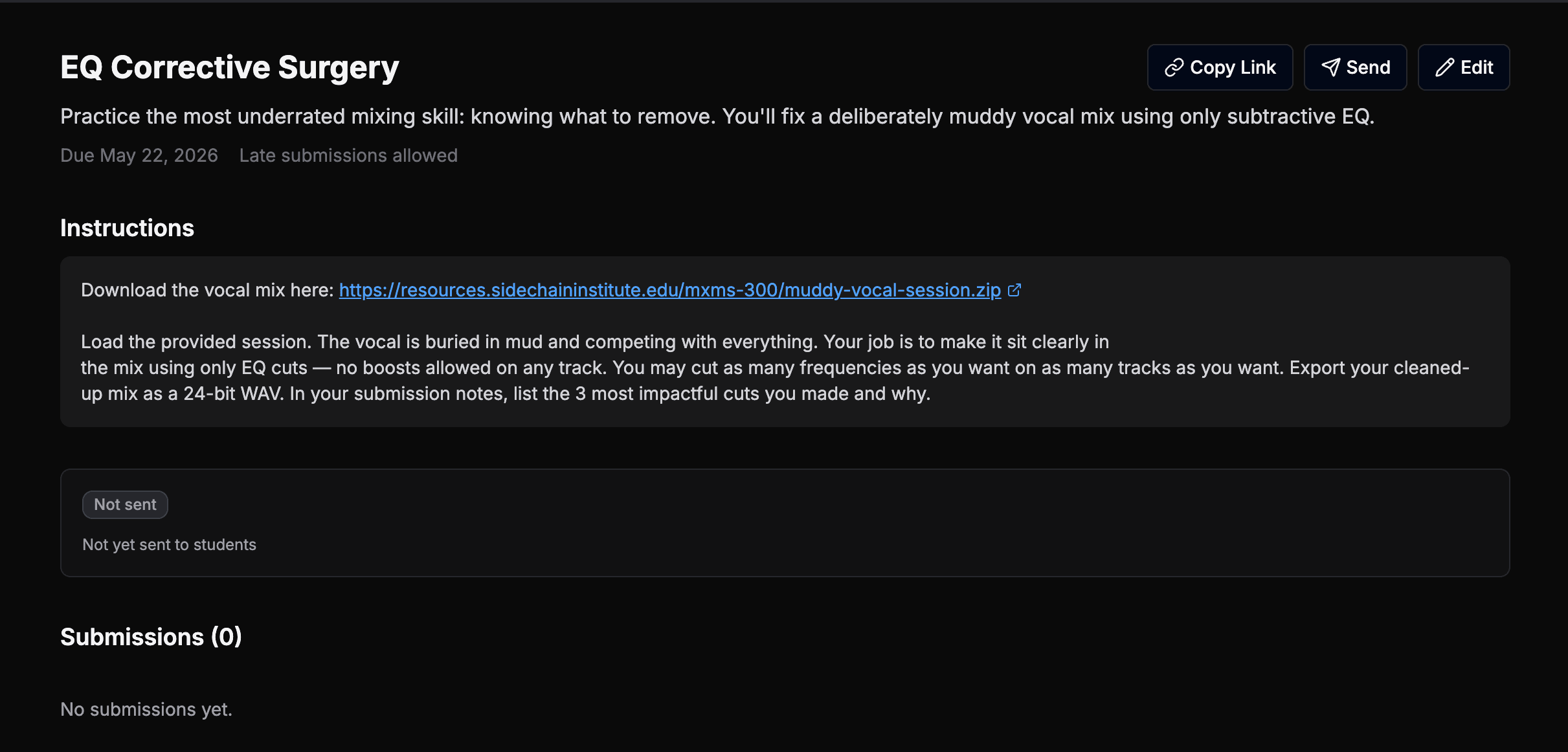
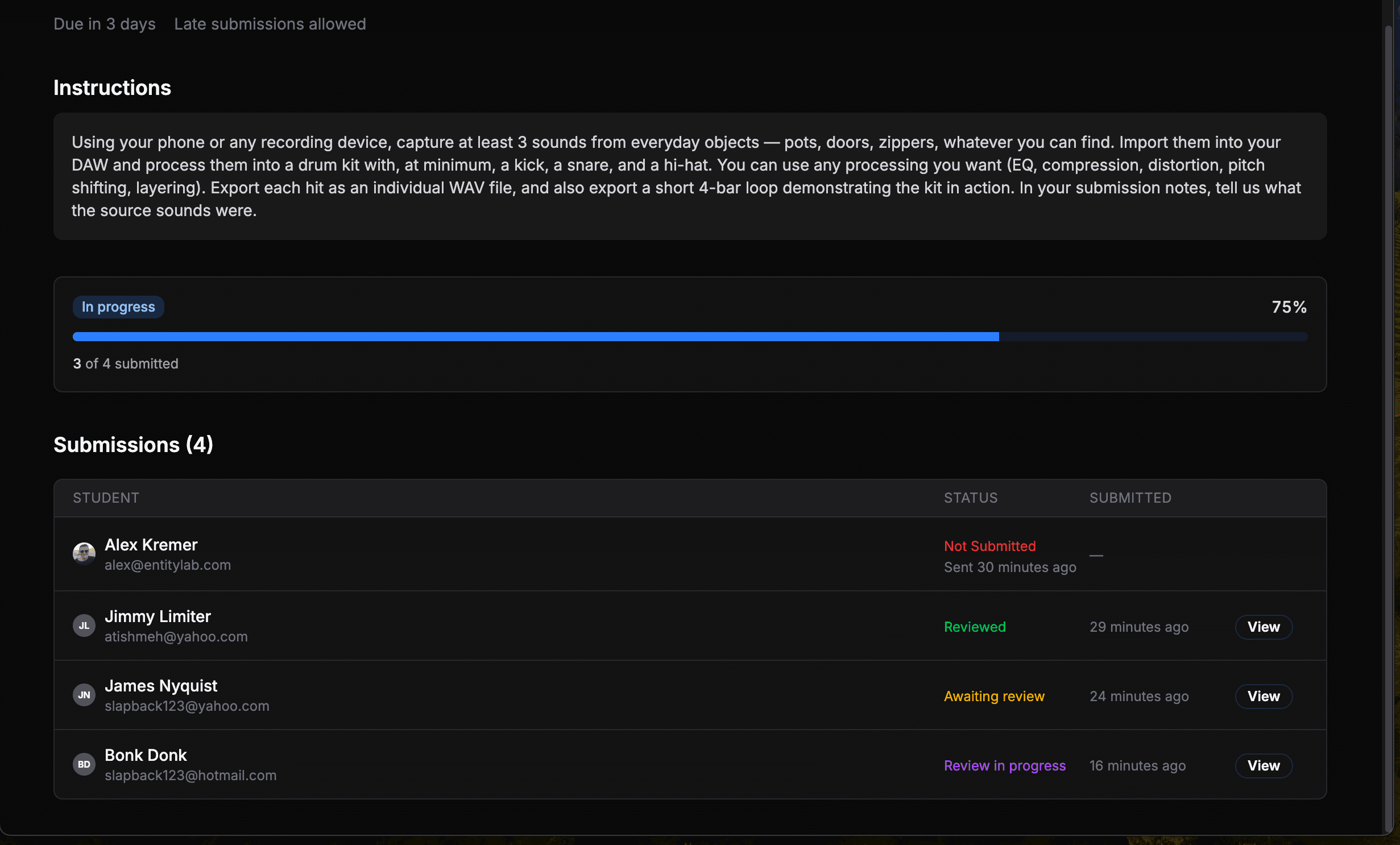
Create an assignment with instructions and a due date. Send it to your enrolled students with one click. Everyone gets an email with a direct link to submit.
Submit
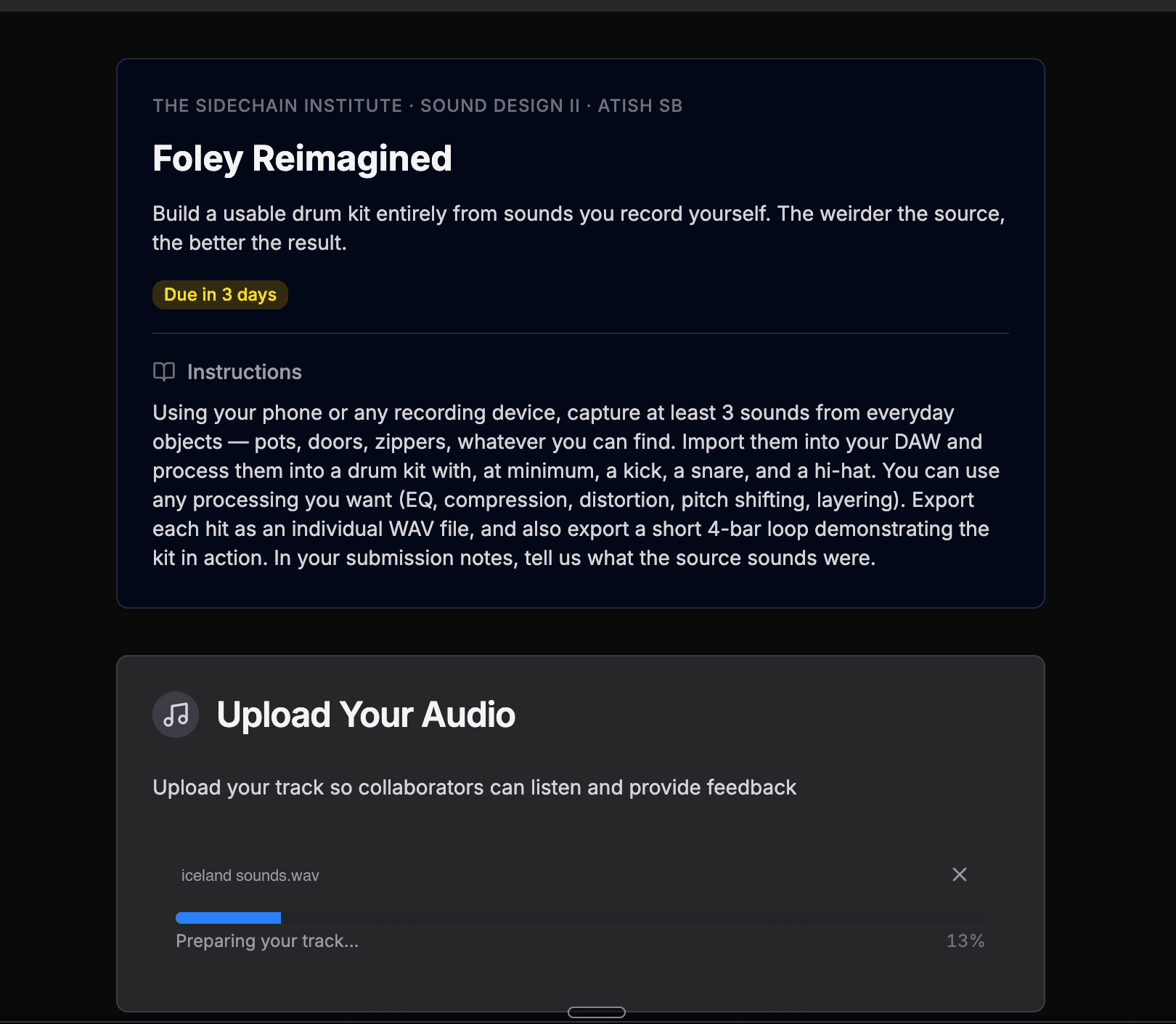
Students upload their audio — and optionally attach their Ableton project file for deeper context. They submit through Slapback. You see it immediately.
Review
Open the submission in your browser. See the full arrangement. Leave track-level, timestamped feedback. The student gets an email when you comment. No scheduling required.
Not another LMS plugin
vs. Soundtrap / BandLab
Those are cloud DAWs. Your students already use Ableton, Logic, and FL Studio. They shouldn't have to learn a second DAW just to submit homework.
vs. Canvas / Blackboard
They weren't built for large session files and track-level mix notes. You end up running two systems — the LMS for grades, Google Drive for the actual work.
vs. Pibox / Loom
Loom gets you screen recordings. Pibox gets you waveform comments. Neither shows you the arrangement, the plugin chains, or the session structure. Slapback does.
Already in use
How IO Music Academy uses Slapback
Slapback solved one of our longest-running technical barriers as an Ableton-based music school. We’ve always wanted to provide project-level notes on weekly assignments, but we were never able to overcome the constant challenge of receiving working project files from our students (most of whom are totally new to production).
With Slapback, we avoid the headaches of missing plugins, audio samples, and version mismatches. Now, every student at IO Music Academy receives detailed notes on every assignment, every week. It’s amazing.
School management, not just a feedback tool
Everything you need to run courses, manage students, and track grading progress.
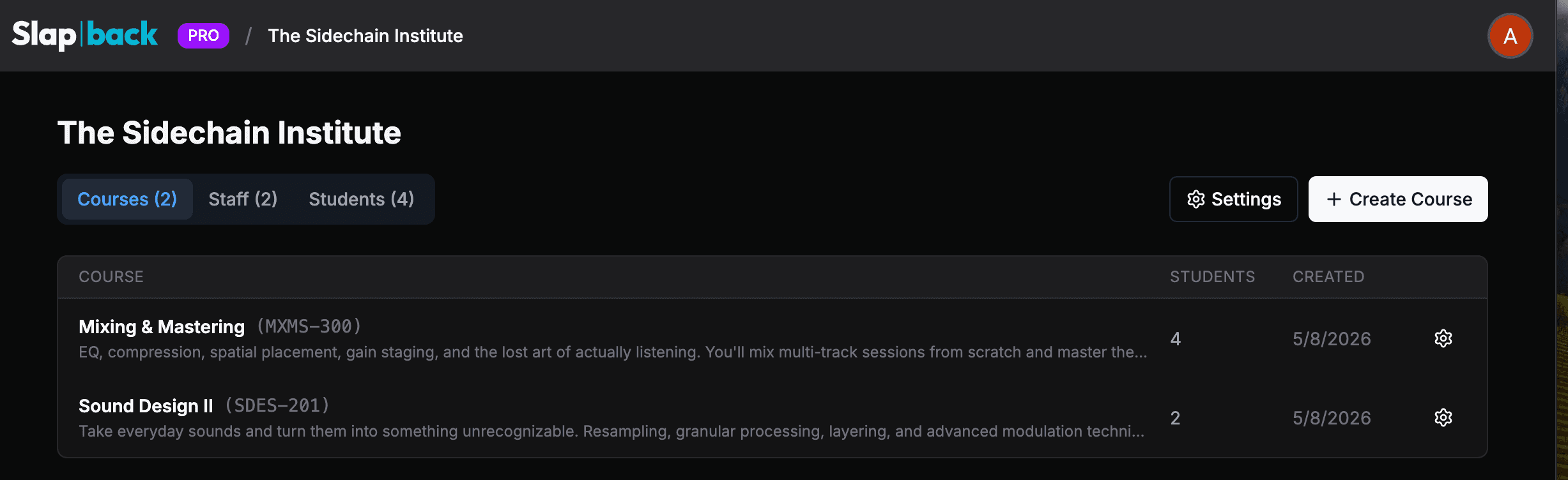
Schools & courses
Organize by program, term, and location
Student enrollment
Add students to your roster, enroll them in courses
Assignments
Create assignments with instructions, due dates, and late submission controls
One-click distribution
Send assignments to all enrolled students with email notifications
Submission tracking
See who submitted, who's late, and who hasn't started
Review dashboard
Track grading progress across courses and assignments
See Slapback for your school
We'll walk you through the platform and talk about what a pilot looks like for your program.